
H3 Image vs Seedream 5.5: Native 4K and Open Weights vs 100-Round Editing
We ran six identical briefs on H3 Image and Seedream 5.5. Seedream 5.5 won four, with readable small text, stable multi-round edits, and natural realism. H3 Image won two, keeping eight references cleanly apart and delivering larger native-resolution files, and it remains the only open-weight option.
Read the verdict
H3 Image and Seedream 5.5 launched two days apart in November 2026, and they solve different problems. MiniMax's H3 Image is an open-weight model that renders native 4K files and accepts up to 16 reference images. ByteDance's Seedream 5.5 is a closed model built for production editing: it keeps untouched pixels stable across many rounds of edits and can output transparent PNGs directly.
This page gives you the specs, the trade-offs, and six side-by-side tests built around each model's headline claims. For scored H3 Image samples on their own, see our H3 Image review. For another head-to-head, see H3 Image vs MAI-Image-2.6.
The short answer
Bottom line from our tests: Seedream 5.5 won four of our six briefs and H3 Image won two. Seedream 5.5 is the stronger everyday tool for realistic photos, small text, and step-by-step edits. H3 Image is the better pick when you need large files, many references kept cleanly apart, or open weights.
Choose H3 Image for large native-resolution files (up to 4096 × 4096), jobs that need more than eight references, open weights you can run or fine-tune yourself, and one-time credit packs with no subscription.
Choose Seedream 5.5 for long editing sessions on one image, transparent product and design assets, dense small text, and the lowest API price per 2K image.
Not sure? Run your own brief in the H3 Image studio and in ByteDance's Dreamina or Jimeng, then compare the files at 100% zoom.
Two different bets
H3 Image bets on size and openness. MiniMax released it on November 11, 2026, built on its H3 multimodal model. One checkpoint handles text-to-image, reference-based generation, and editing. MiniMax says it renders a 4096 × 4096 image in under 10 seconds, supports up to 16 reference images, and leads open-weight models on prompt adherence. The weights are on Hugging Face, and the model is also hosted on the MiniMax API, MiniMax Code, and Hailuo AI.
Seedream 5.5 bets on editing control. ByteDance Seed introduced it on November 9, 2026, as the successor to Seedream 5.0 Pro, with a Pro version of 5.5 still to come. ByteDance's three headline claims are:
100-round editing: unedited regions stay pixel-identical, with less color shift and detail loss as edits pile up.
Native RGBA output: full and partial transparency straight from a prompt or reference, with no background removal step.
Better realism and small text: more natural skin, light, and materials, plus cleaner dense captions in English and Chinese. ByteDance reports a 0.4% severe text-corruption rate.
It is rolling out across Jimeng, Doubao, Volcano Ark, Dreamina, CapCut, and the BytePlus API. ByteDance has not released weights.
Spec sheet
| H3 Image (MiniMax) | Seedream 5.5 (ByteDance Seed) | |
|---|---|---|
| Released | November 11, 2026 | November 9, 2026 |
| Weights | Open, on Hugging Face | Closed |
| Maximum output | Native 4K, 4096 × 4096 (about 16.8 MP) | 2K class; API caps each image at about 4.6 MP (for example, 2048 × 2048) |
| Reference images | Up to 16 | Not officially stated; some API listings show up to 8 |
| Transparent output | No native transparency claim | Native RGBA, full and partial |
| Multi-round editing | Editing supported; no stability claim | Up to 100 rounds with untouched pixels preserved (vendor claim) |
| Text in images | No vendor claim | Improved small and dense text in English and Chinese (vendor claim) |
| Speed | 4K in under 10 seconds (vendor claim) | About 40% faster than Seedream 5.0 Pro (reported) |
| Where to use it | h3imageai.net, MiniMax API, Hailuo AI, self-hosting | Jimeng, Doubao, Dreamina, CapCut, Volcano Ark, BytePlus API |
| Price per image | Our studio: 3 credits at 1K/2K, 8 at 4K, +1 per reference | API: about $0.020 at 1K/1.5K, $0.035 at 2K, +$0.008 per reference |
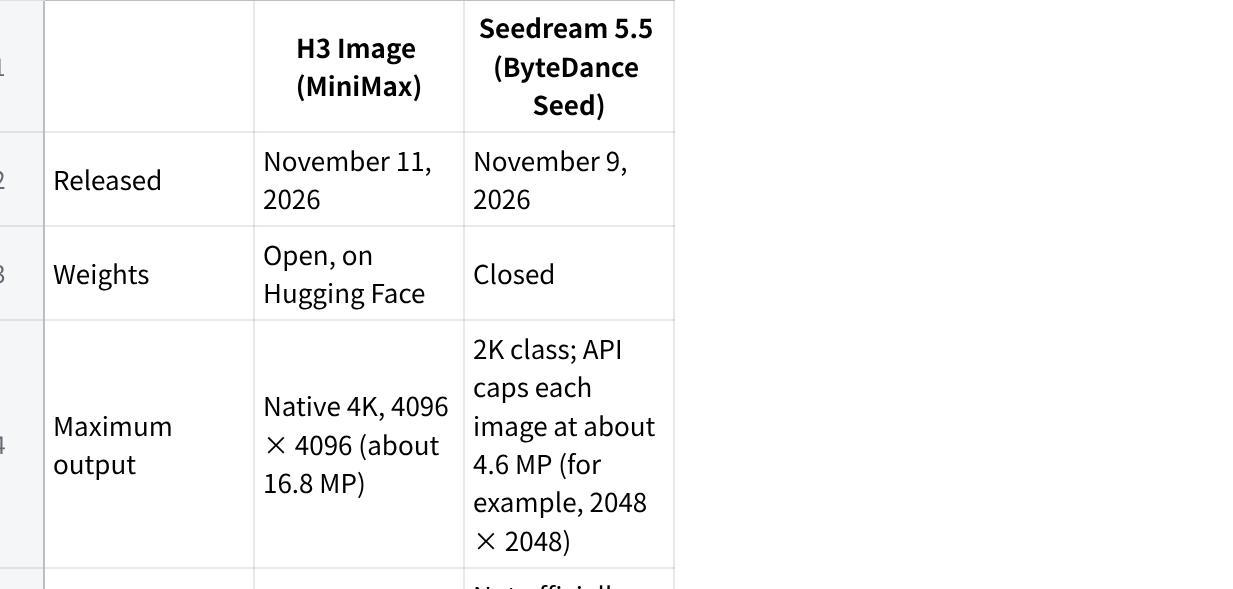
点击图片可查看完整电子表格
Vendor claims are the developers' own figures. Seedream 5.5 prices are BytePlus-aligned rates listed by an API reseller as of November 2026.
Where each model should win on paper
Resolution favors H3 Image. A 4096 × 4096 file has about four times the pixels of a 2048 × 2048 Seedream 5.5 image. That matters for print, packaging, and cropping one image into several assets.
References favor H3 Image. Sixteen references let you combine a product set, a character sheet, and a mood board in one job. Seedream 5.5's limit isn't published, so check your platform before planning a large reference set.
Iterative editing favors Seedream 5.5. If your workflow is "change the background, then the lighting, then the label, then the angle," drift is the real enemy. Seedream 5.5 is the only one of the two that makes a specific claim about stability across many edit rounds.
Transparent assets favor Seedream 5.5. Native RGBA output saves a background-removal step for stickers, product cutouts, and layered design work. H3 Image makes no transparency claim, so expect to cut out its subjects yourself.
Text is open. Seedream 5.5 has the stronger vendor claims. But in our MAI-Image-2.6 comparison, H3 Image rendered a simplified Chinese sign more accurately than its rival. Our tests below check both models on dense text.
Hands-on test: 6 briefs built around each model's claims
Each brief targets one claim from the spec sheet. Three favor Seedream 5.5 on paper (dense text, transparency, multi-round editing), two favor H3 Image (many references, large format), and one is neutral (realism).
Test setup
| H3 Image | Seedream 5.5 | |
|---|---|---|
| Where we ran it | h3imageai.net studio | ZMS AI (zms.com) |
| Test date | November 18, 2026 | November 18, 2026 |
| Output size, tests 1–5 | 2K | 2K |
| Output size, test 6 | 4K setting | Largest setting available |
| Outputs per brief | 1, first result kept | 1, first result kept |
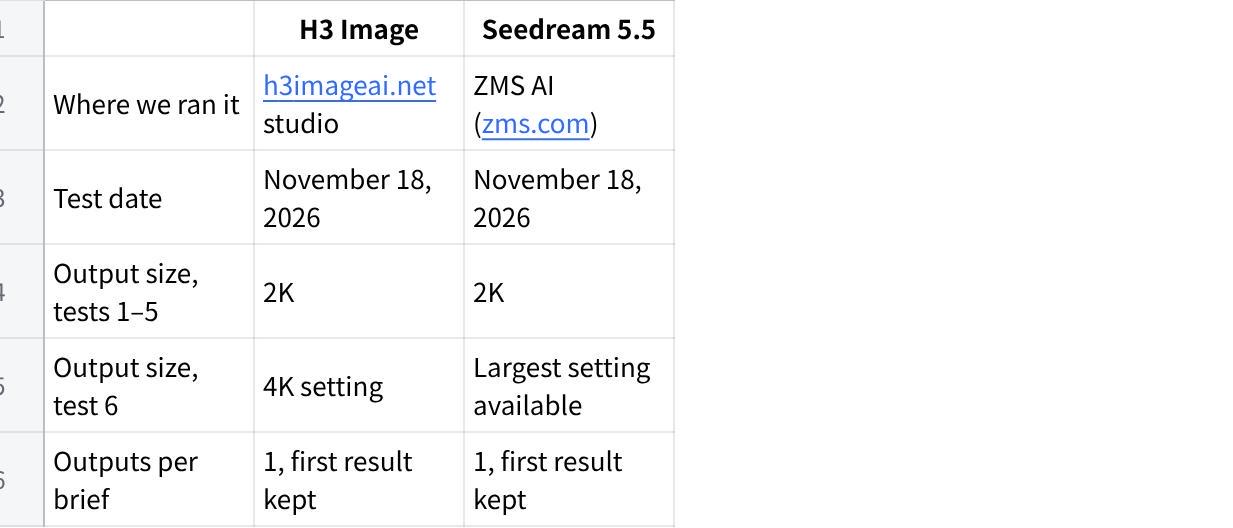
点击图片可查看完整电子表格
We scored every image from 1 to 10 on prompt adherence, detail, text accuracy where relevant, and how usable it is without fixes.
Test 1: Dense small text
Prompt: "Front page of a vintage city newspaper on a wooden desk. Masthead reads 'THE HARBOR DAILY'. Main headline: 'NEW BRIDGE OPENS TO TRAFFIC'. Below it, three columns of small body text and a photo caption that reads 'Crowds gather at dawn for the first crossing'."
What it tests: ByteDance highlights dense small text as a Seedream 5.5 upgrade. We check the masthead, headline, and caption word by word, and see whether the body text looks like real type or scribbles.
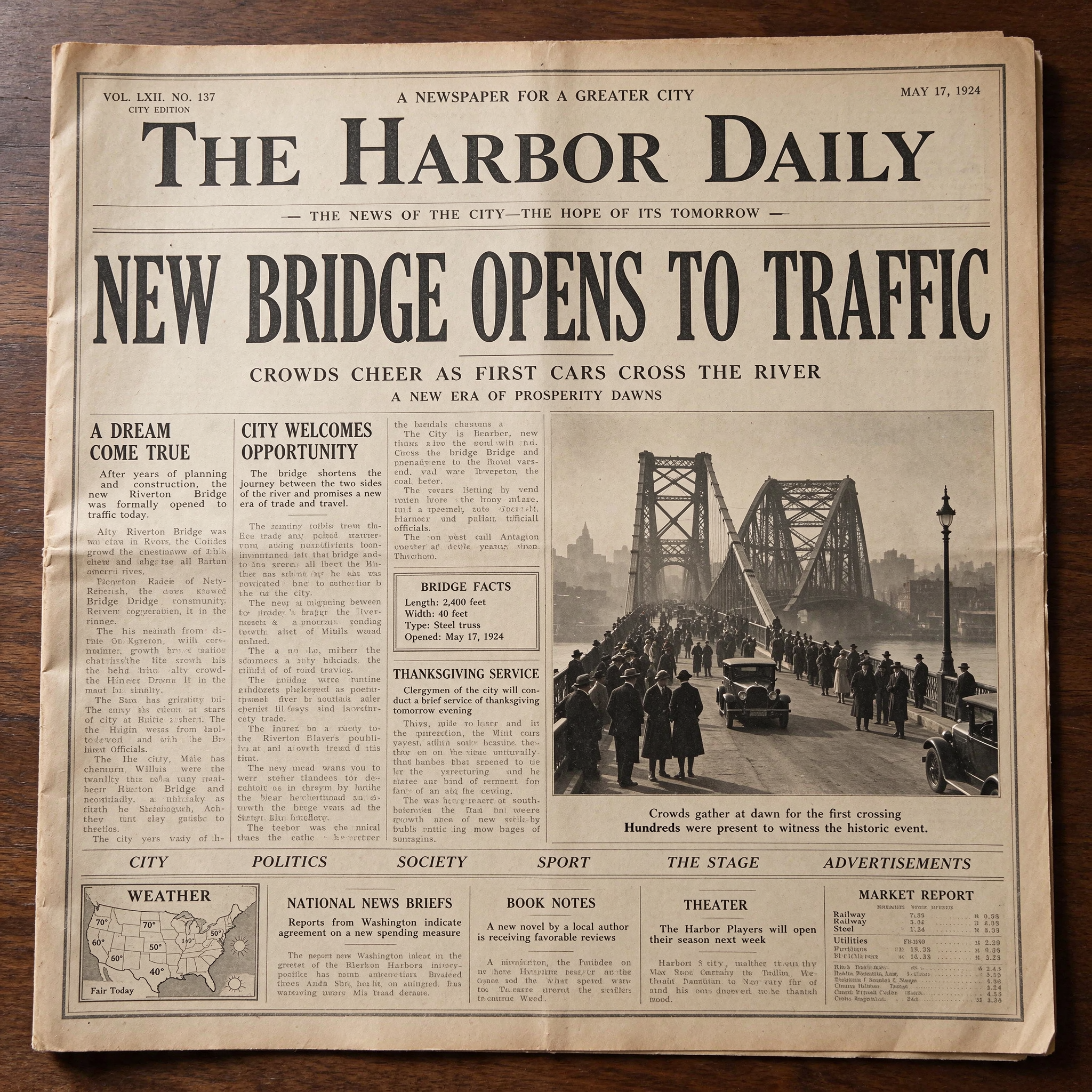
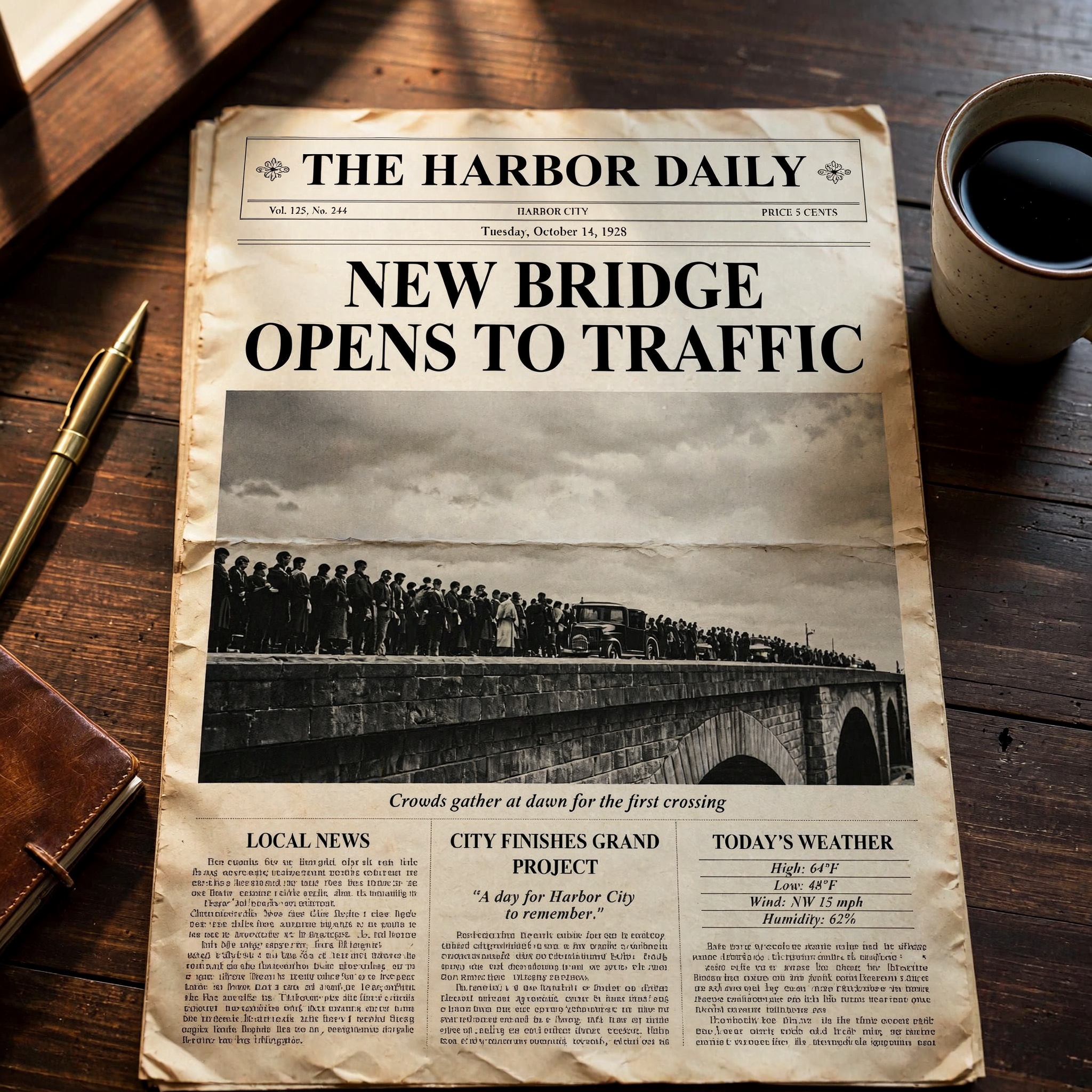
Result: Seedream 5.5 wins on small text. Both models got every requested line right: the masthead, the headline, and the photo caption. Both also added plausible extras, such as a date line, a volume number, and section headings. The difference is in the body copy. H3 Image's three columns are pure filler: the shapes look like type, but no line reads as English. Seedream 5.5 filled the page with readable copy. Its lead paragraph, a "Bridge Facts" box, and several news briefs read as real sentences, though deeper paragraphs still slip into gibberish and a few words are misspelled. H3 Image delivered the moodier still life, with a pen and a coffee cup on the desk, but this test is about text.
Test 2: Transparent product asset
Prompt: "A frosted glass perfume bottle with a gold cap, soft shadow beneath it, isolated on a transparent background, PNG."
What it tests: Seedream 5.5 claims native RGBA output. We check whether each file has a real alpha channel, how clean the edges are, and how the frosted glass and shadow handle partial transparency.
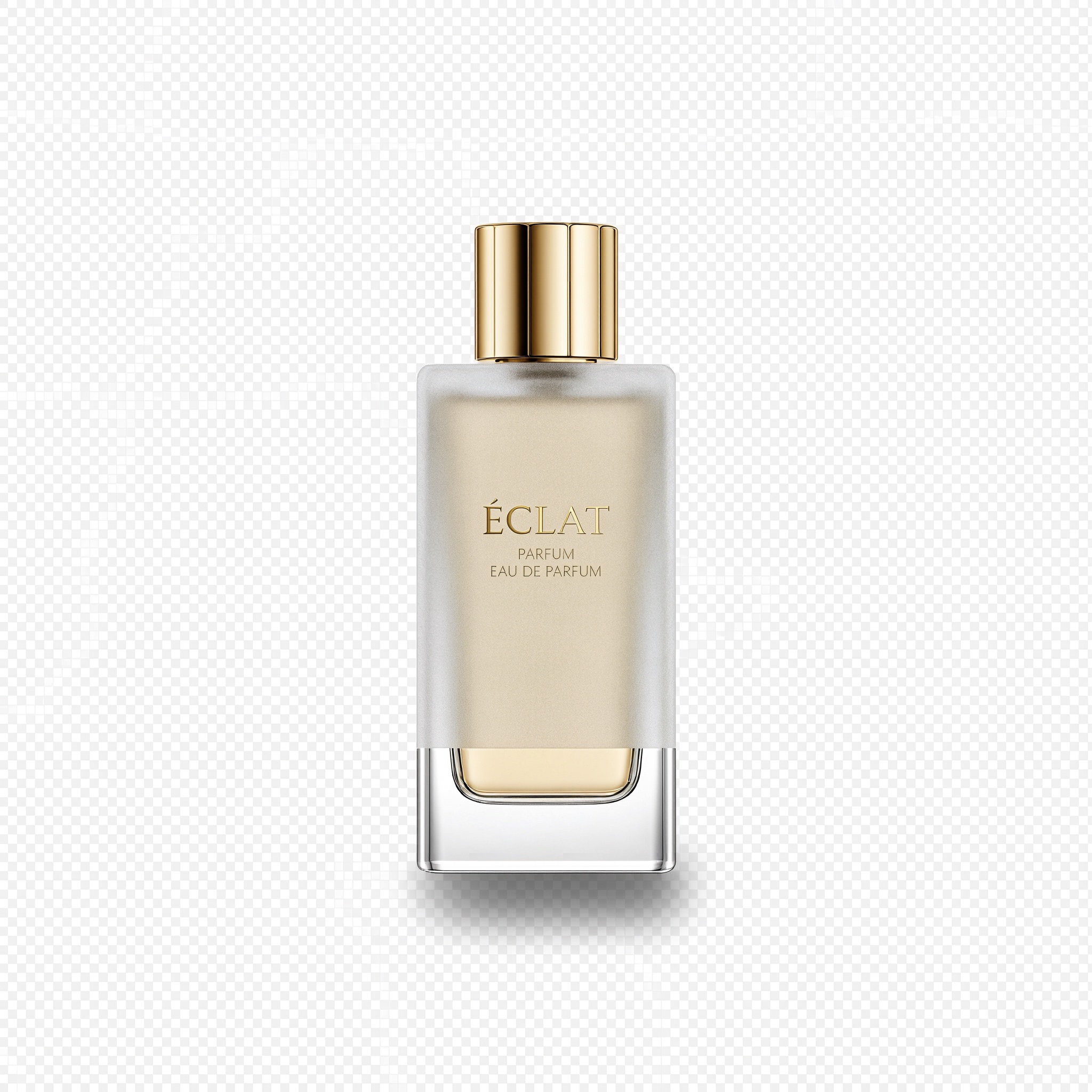
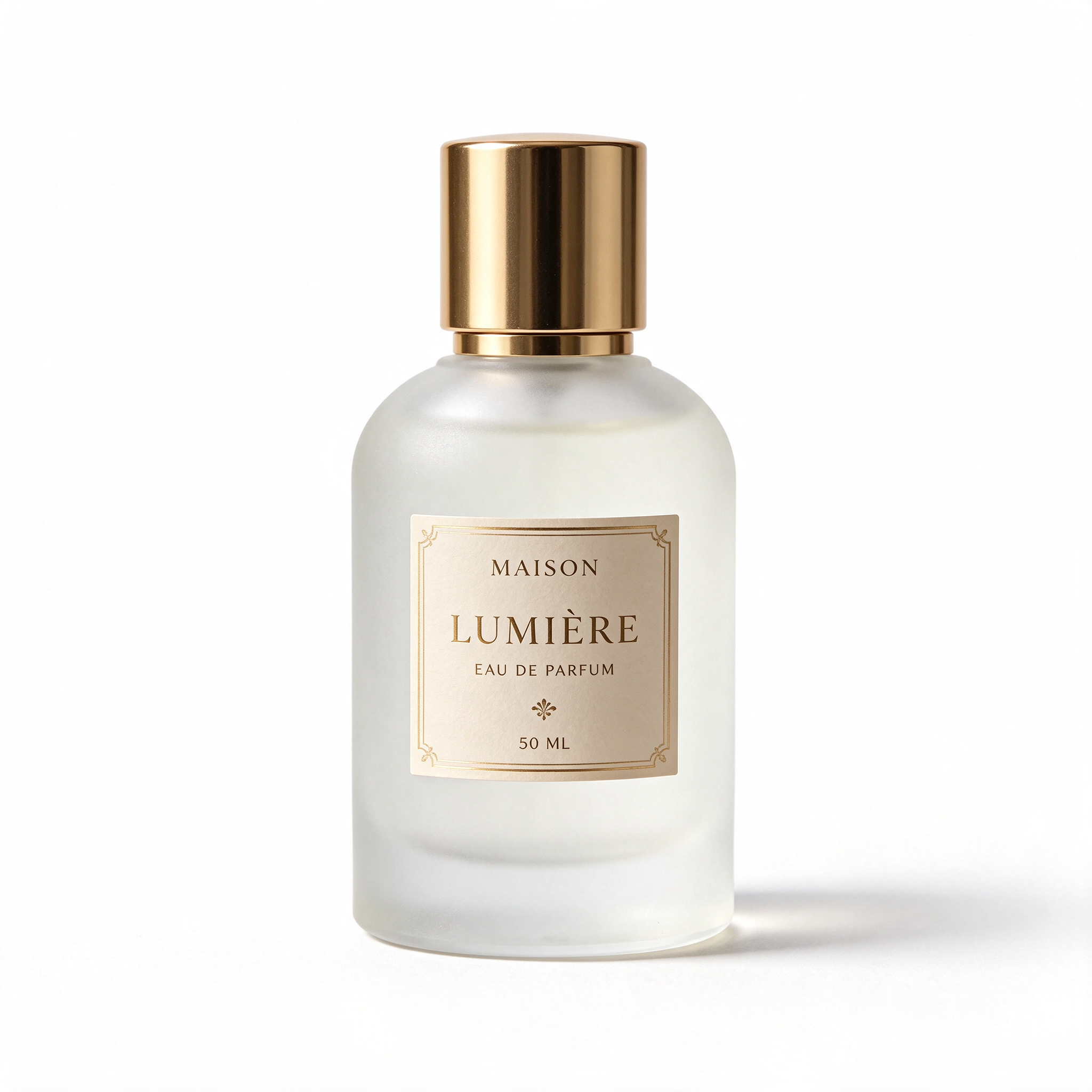
Result: Seedream 5.5 wins, but neither file was truly transparent. We checked both files for an alpha channel, and neither had one. H3 Image fell into a classic trap: it painted a gray-and-white checkerboard into the background, which only looks like transparency. You would have to cut the bottle out by hand. Seedream 5.5 returned a clean product shot on plain white with a soft shadow, which is easy to mask but still not the RGBA file ByteDance promises. Both bottles look premium, with convincing frosted glass and polished gold caps. The original Seedream 5.5 download was also white, so this isn't a conversion issue. Native transparency may depend on which app or API channel you use, so check that your platform exposes it before you rely on it.
Test 3: Five rounds of editing
Source image: the same living-room photo for both models. Each round edits the previous round's result:
"Paint the back wall sage green."
"Add a tall potted fiddle-leaf fig to the left of the sofa."
"Replace the floor lamp with a brass arc lamp."
"Change the time of day to evening, with warm lamp light."
"Add a framed abstract print above the sofa."
What it tests: Seedream 5.5's 100-round stability claim, at a scale anyone can repeat. After five rounds, we compare untouched areas (sofa, rug, window, cushions) against the source for drift in color, texture, and shape.

Source
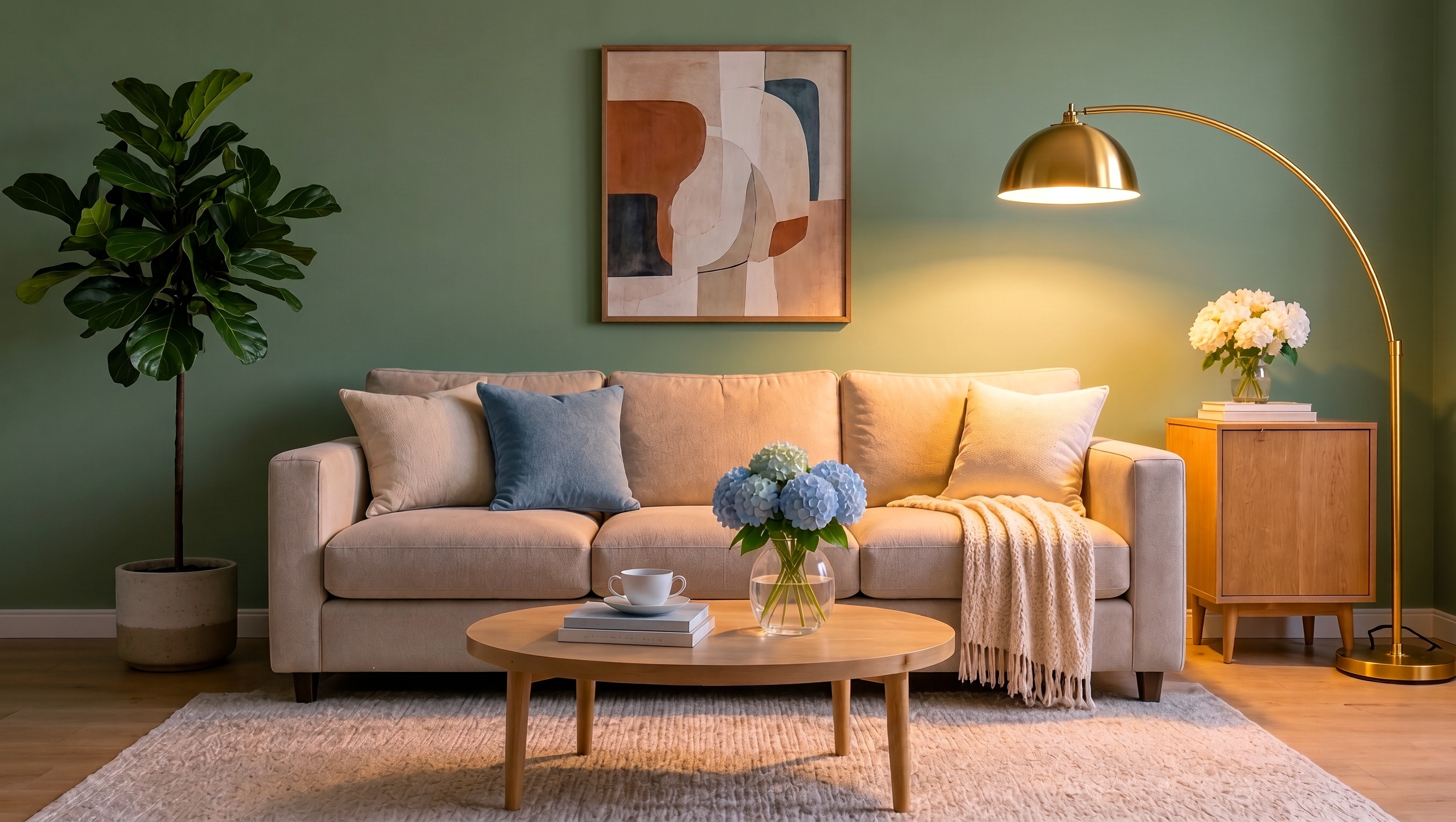
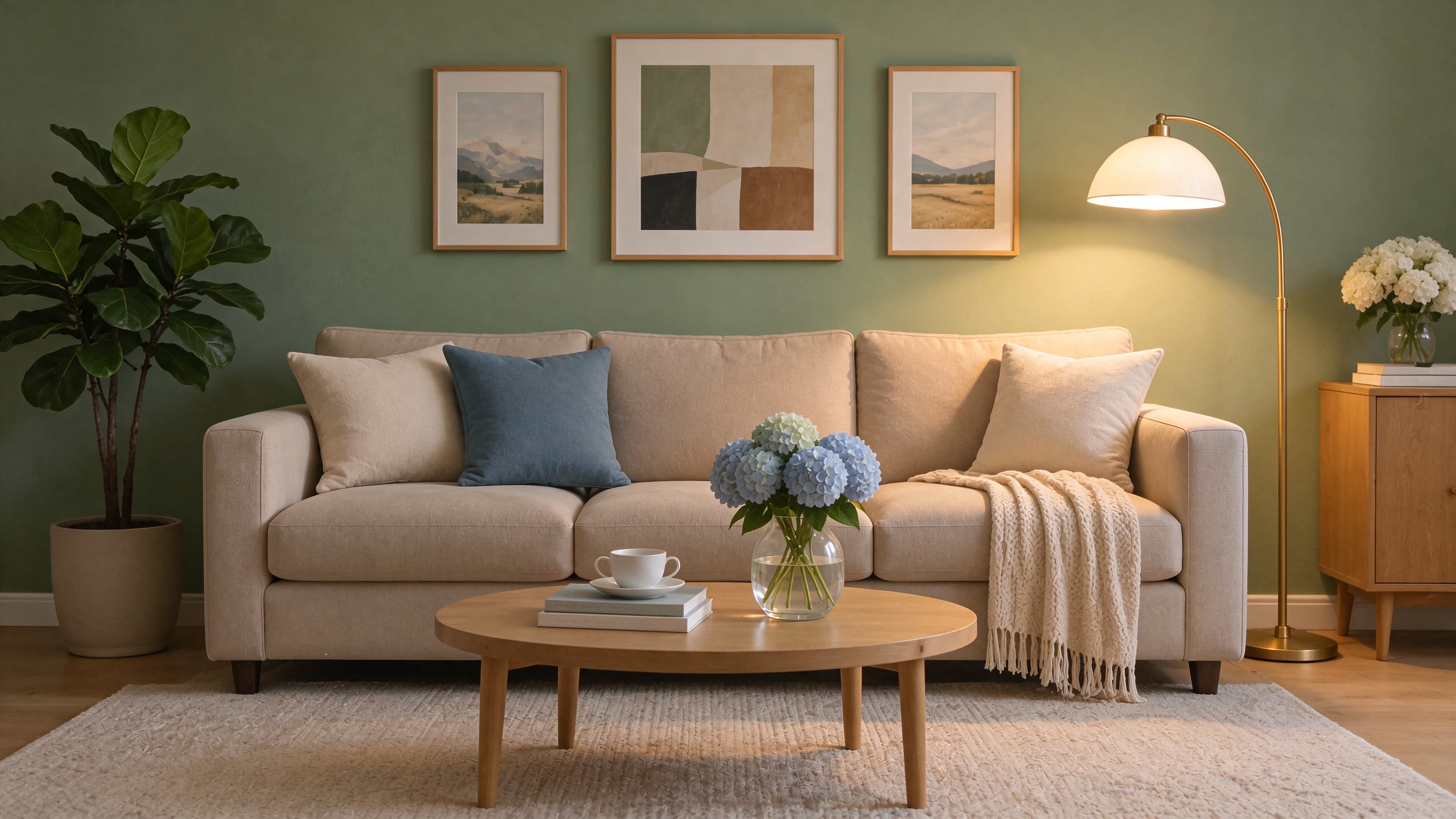
Result: Seedream 5.5 wins narrowly on preservation. After five rounds, both rooms are clearly the same room. The sofa, pillows, throw, coffee table, cup, books, and hydrangeas all survived with little drift, and both models carried out the sage wall, the fig tree, and the evening light. Neither result is pixel-identical to the source, though: both widened the 3:2 frame to roughly 16:9. The difference came in rounds 3 and 5. H3 Image followed the lamp instruction more literally, with a brass dome on a brass arc. But for round 5 it removed all three landscape prints and hung one large abstract in their place. Seedream 5.5 kept the two side prints and swapped only the center one, so more of the original wall survived. Its new arc lamp kept a white shade, a smaller miss.
Test 4: Food, steam, and materials
Prompt: "A bowl of beef noodle soup in a speckled ceramic bowl on a worn wooden table, steam rising, chopsticks resting on the rim, soft side light from a window, shot close up."
What it tests: realism without a face. Steam, broth, glaze, and wood grain show whether a model over-polishes surfaces, a problem ByteDance says it has reduced in Seedream 5.5.
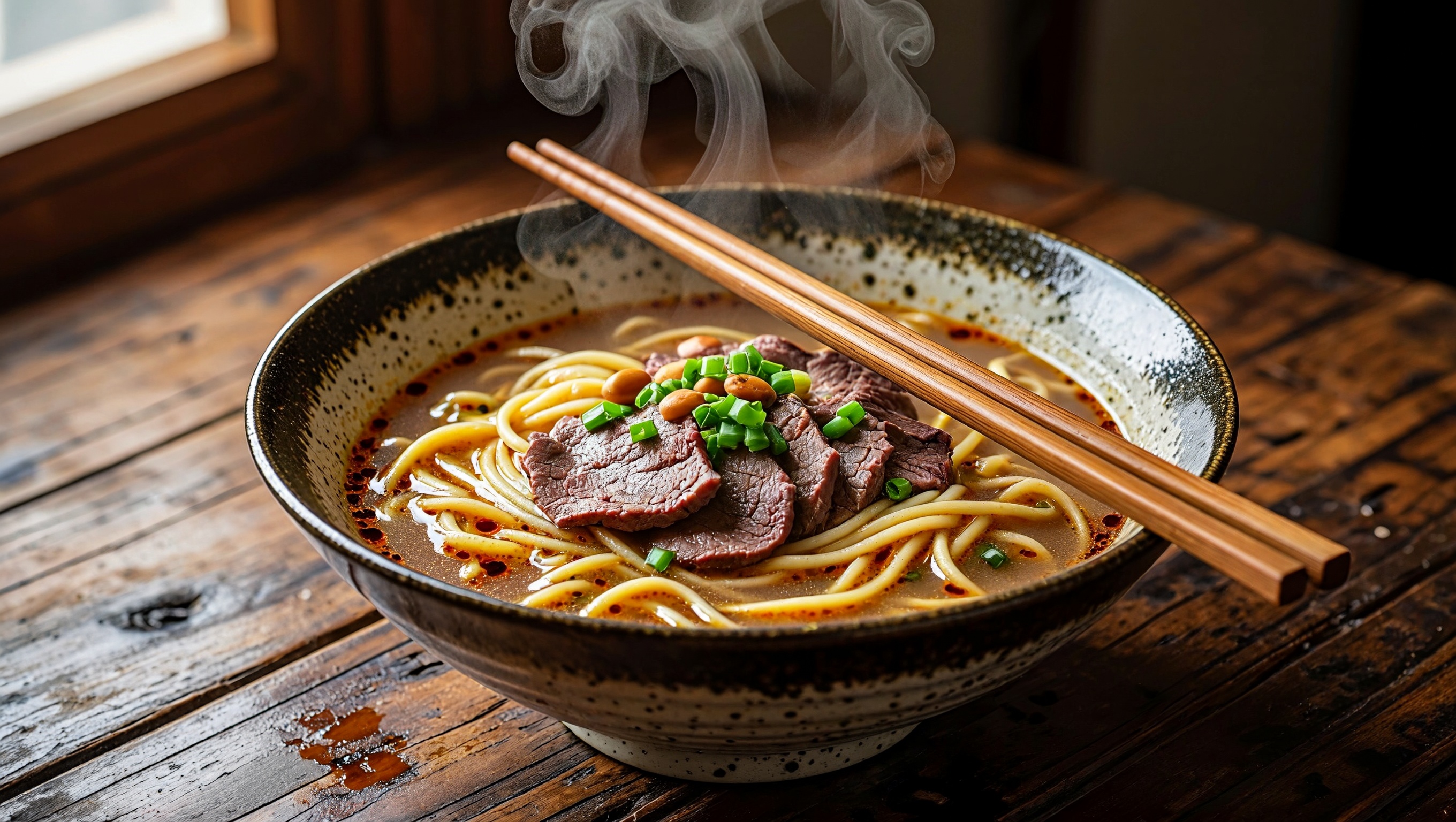
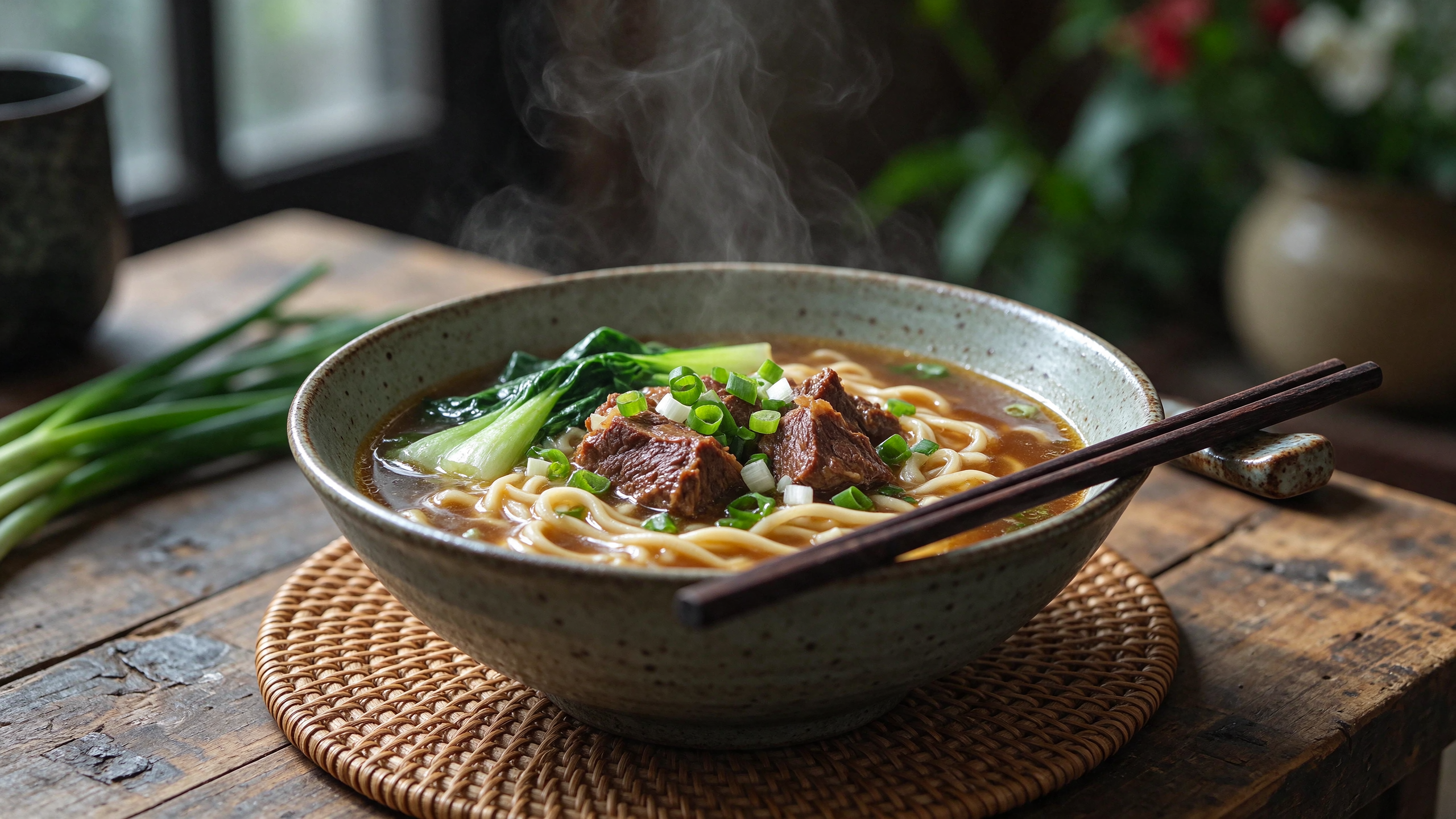
Result: Seedream 5.5 wins on natural realism. Both models hit every element of the brief: a speckled bowl, a worn wooden table, rising steam, chopsticks across the rim, and side light from a window. H3 Image made the more dramatic shot, with thin-sliced beef, peanuts, chili oil, and a big curl of steam. But it pushed contrast and gloss hard. The noodles look lacquered, the steam forms neat, stylized swirls, and the whole frame has the heavy HDR look we saw in our other tests. Seedream 5.5's bowl looks like a real food photo. The braised beef chunks, bok choy, and broth have soft, believable highlights, and the steam thins out naturally. That matches ByteDance's claim that Seedream 5.5 cuts excessive gloss.
Test 5: Eight references in one image
References: (1) a model's face, (2) a trench coat, (3) leather boots, (4) a handbag, (5) a street location, (6) a lighting sample, (7) a color palette, (8) a camera-angle sample.
Prompt: "Fashion editorial photo: the person from image 1 wearing the coat from image 2, the boots from image 3, and carrying the bag from image 4, standing in the street from image 5. Match the lighting of image 6, the colors of image 7, and the camera angle of image 8."
What it tests: how many references each model can actually use. Eight is the upper limit some platforms list for Seedream 5.5, and half of H3 Image's 16. We check whether every item shows up and stays true to its source.
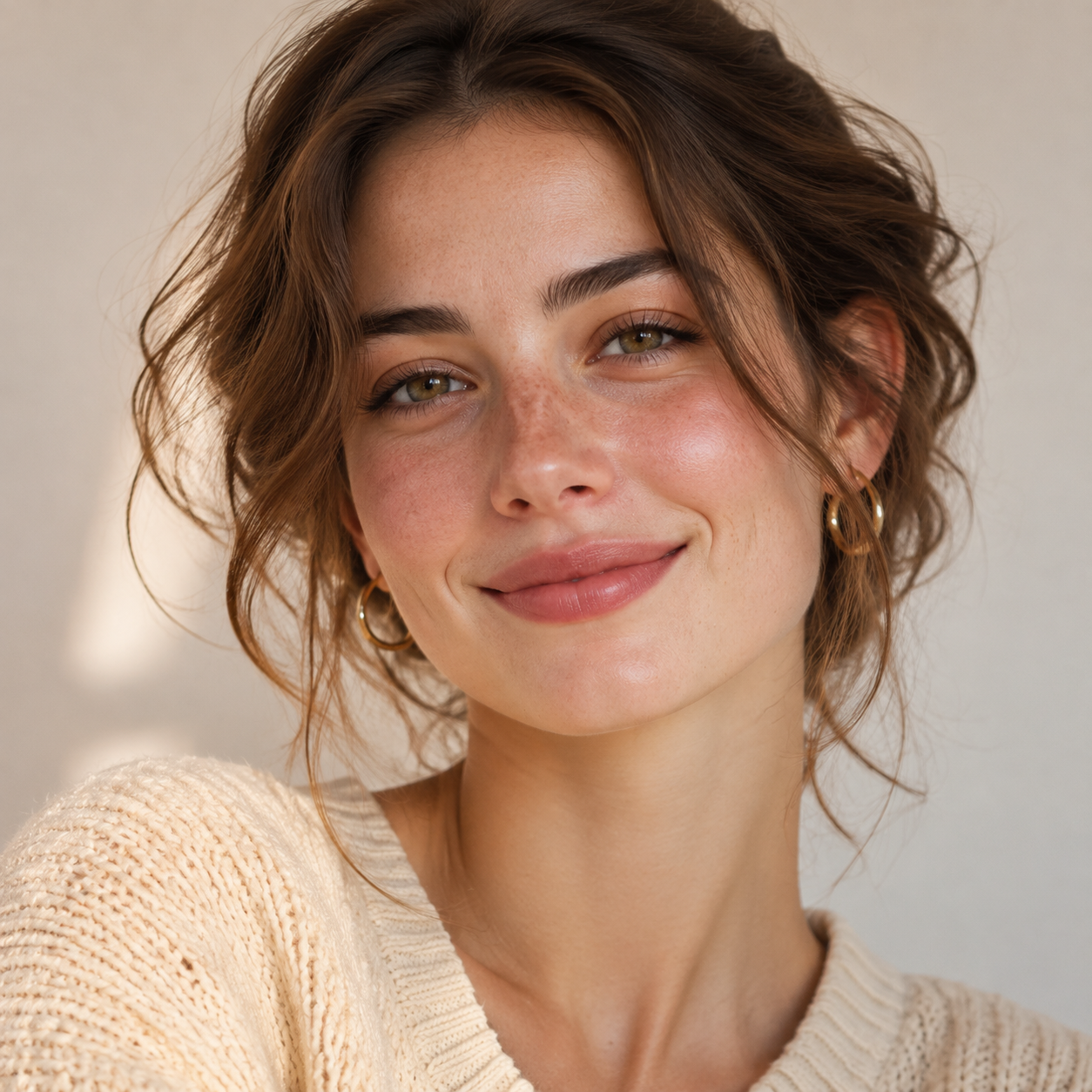
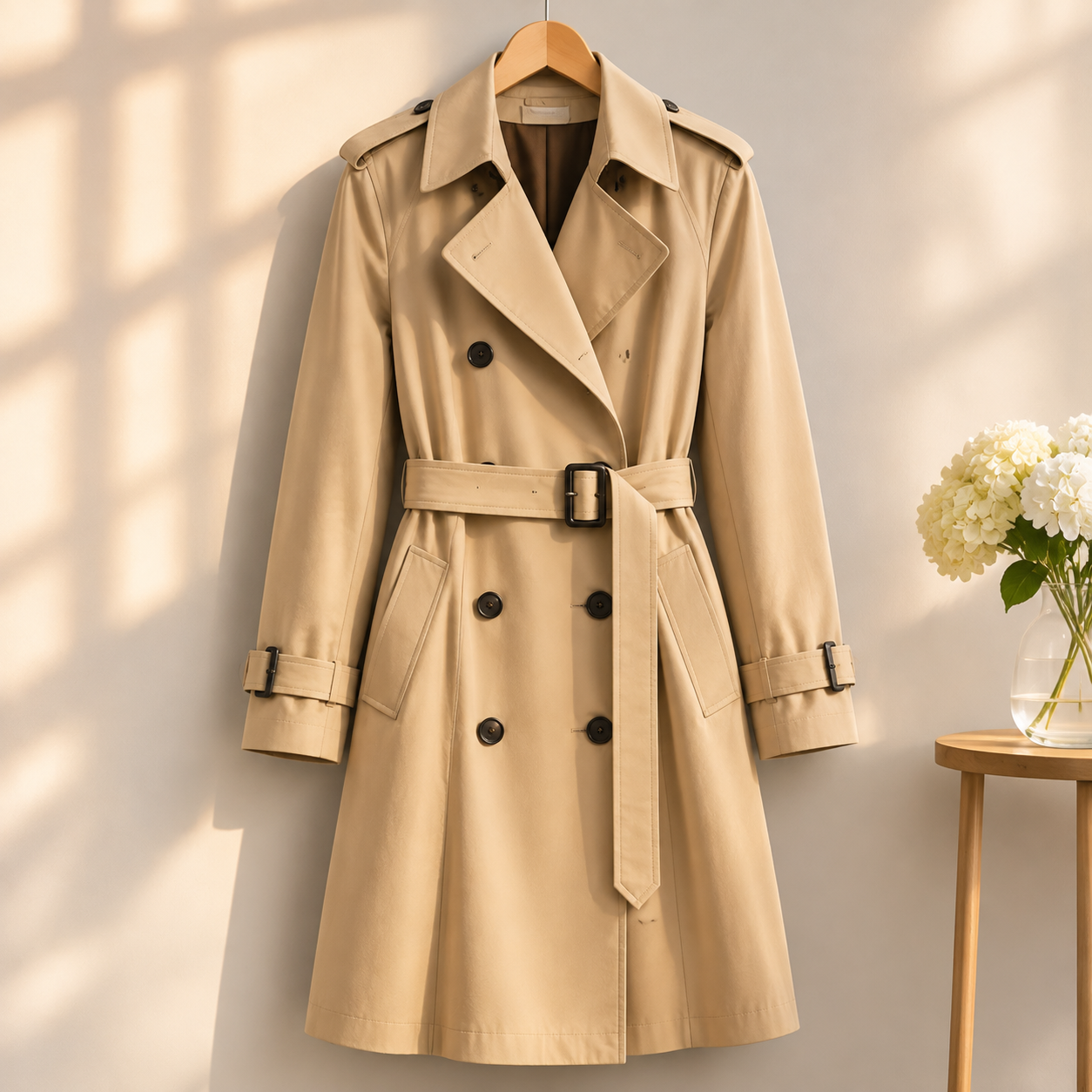
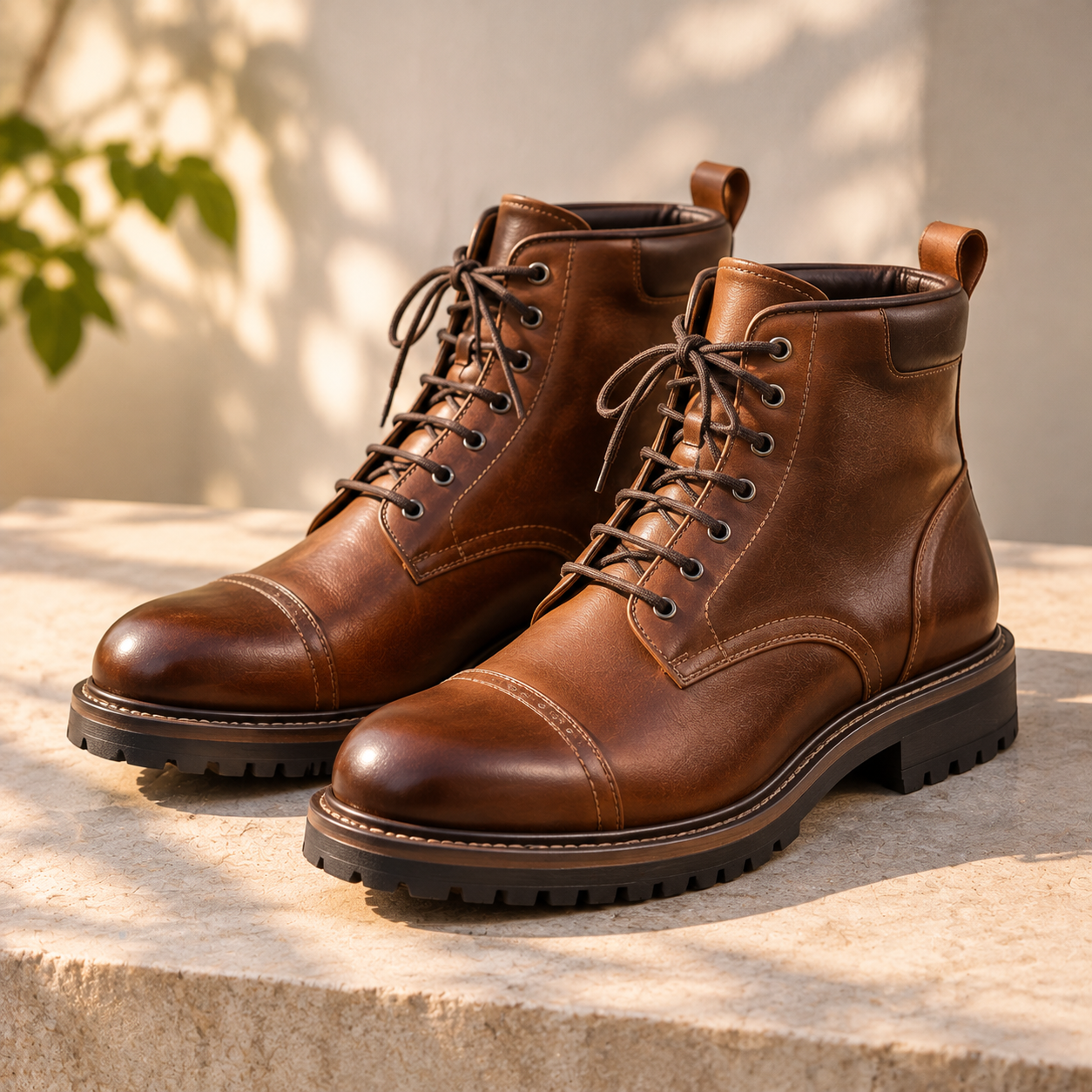
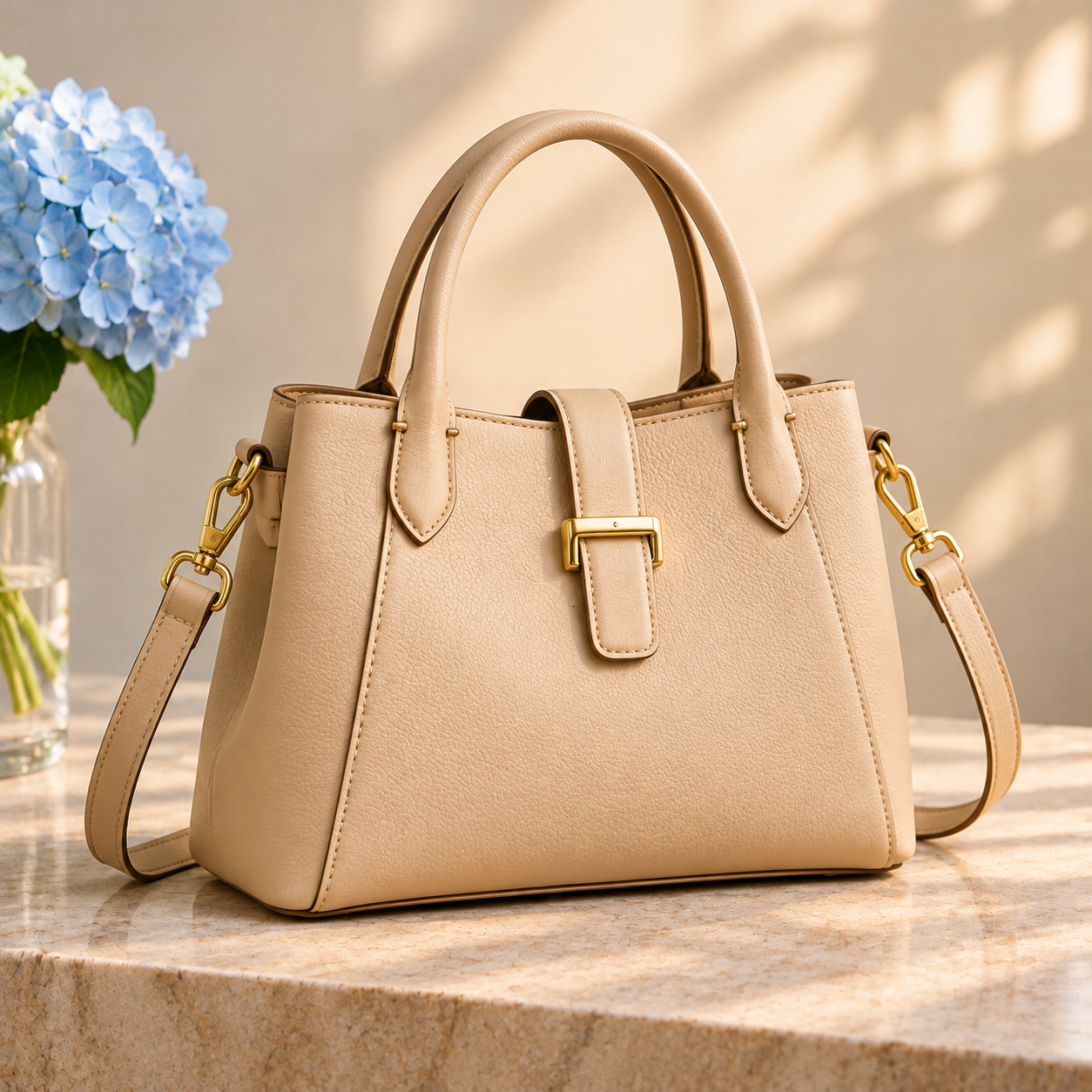
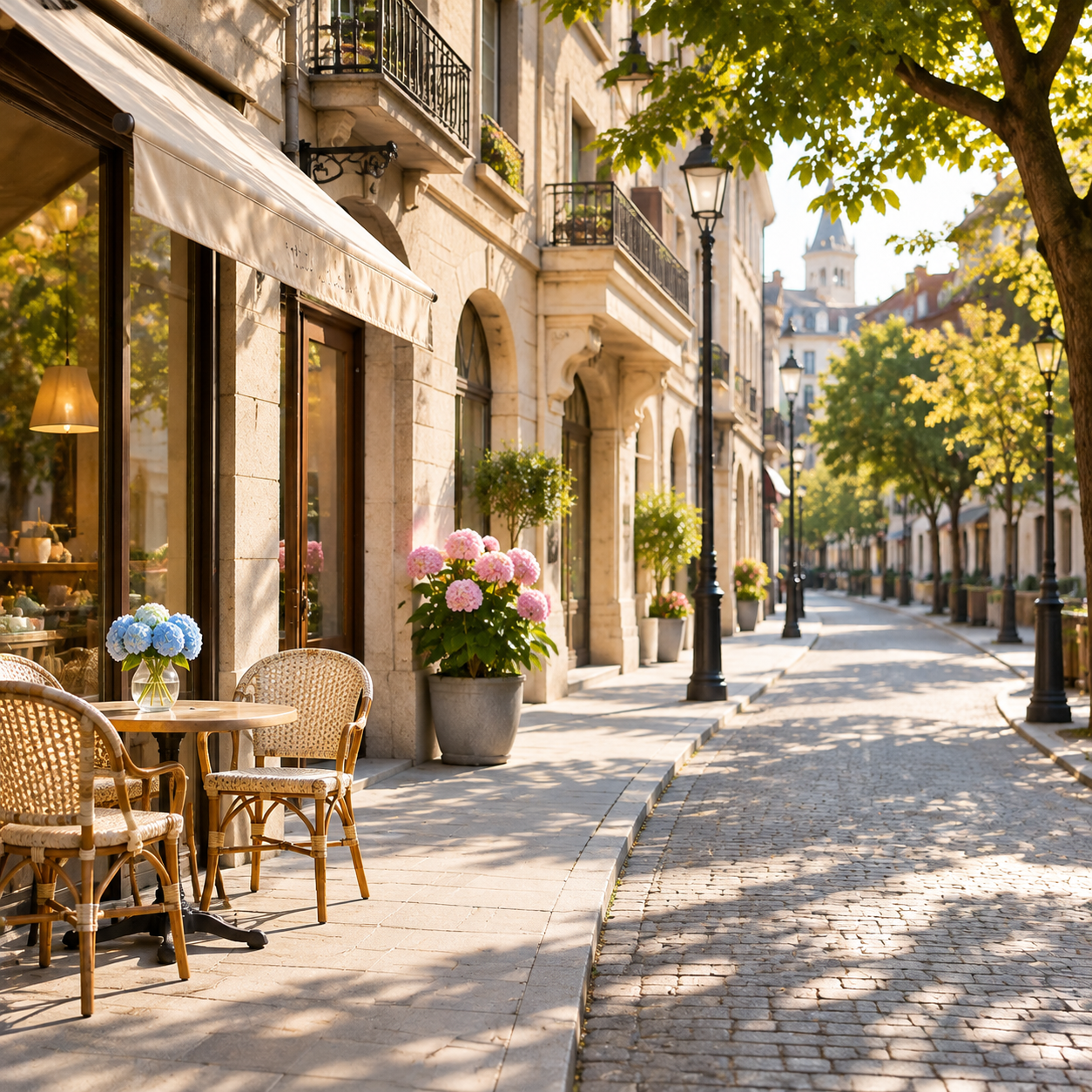
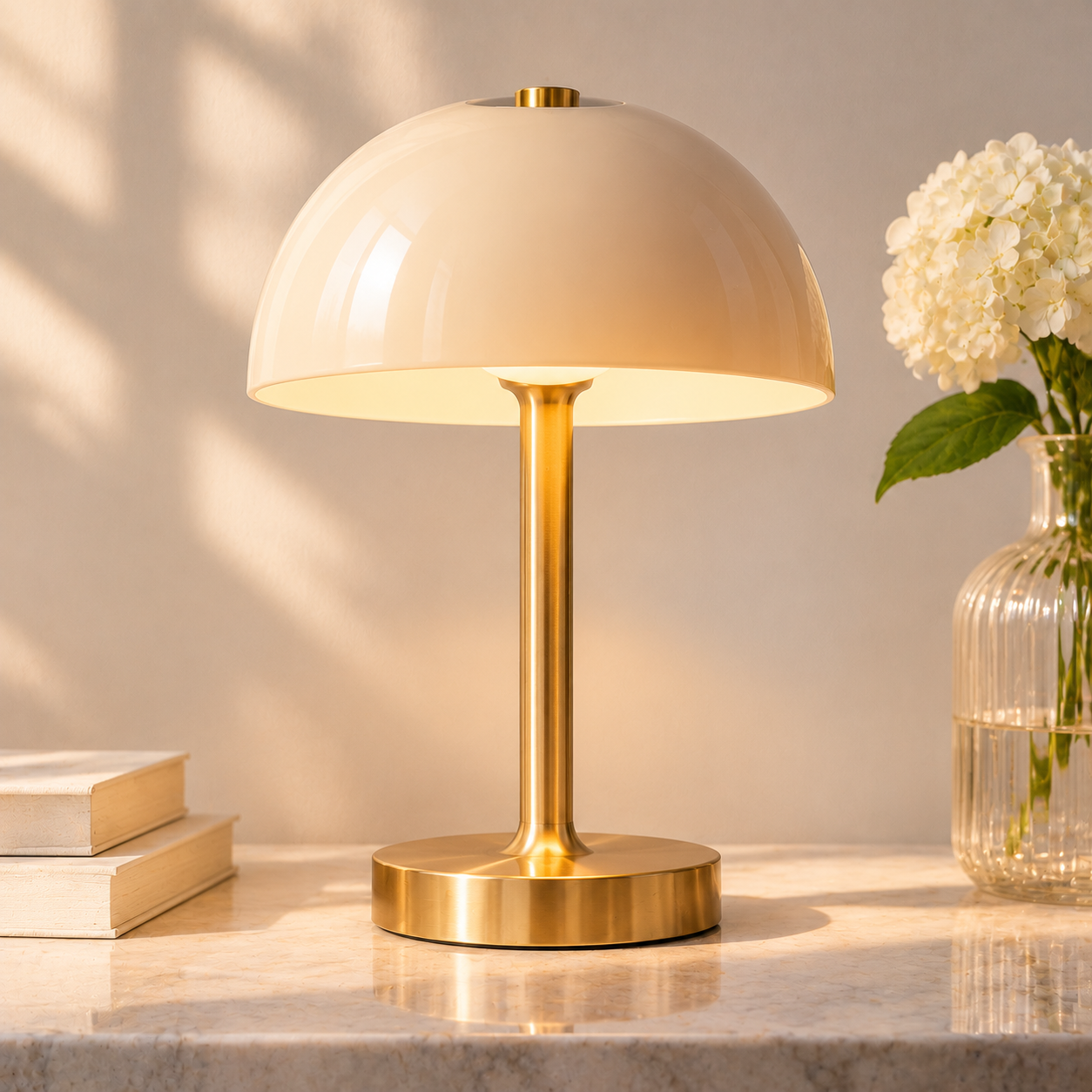
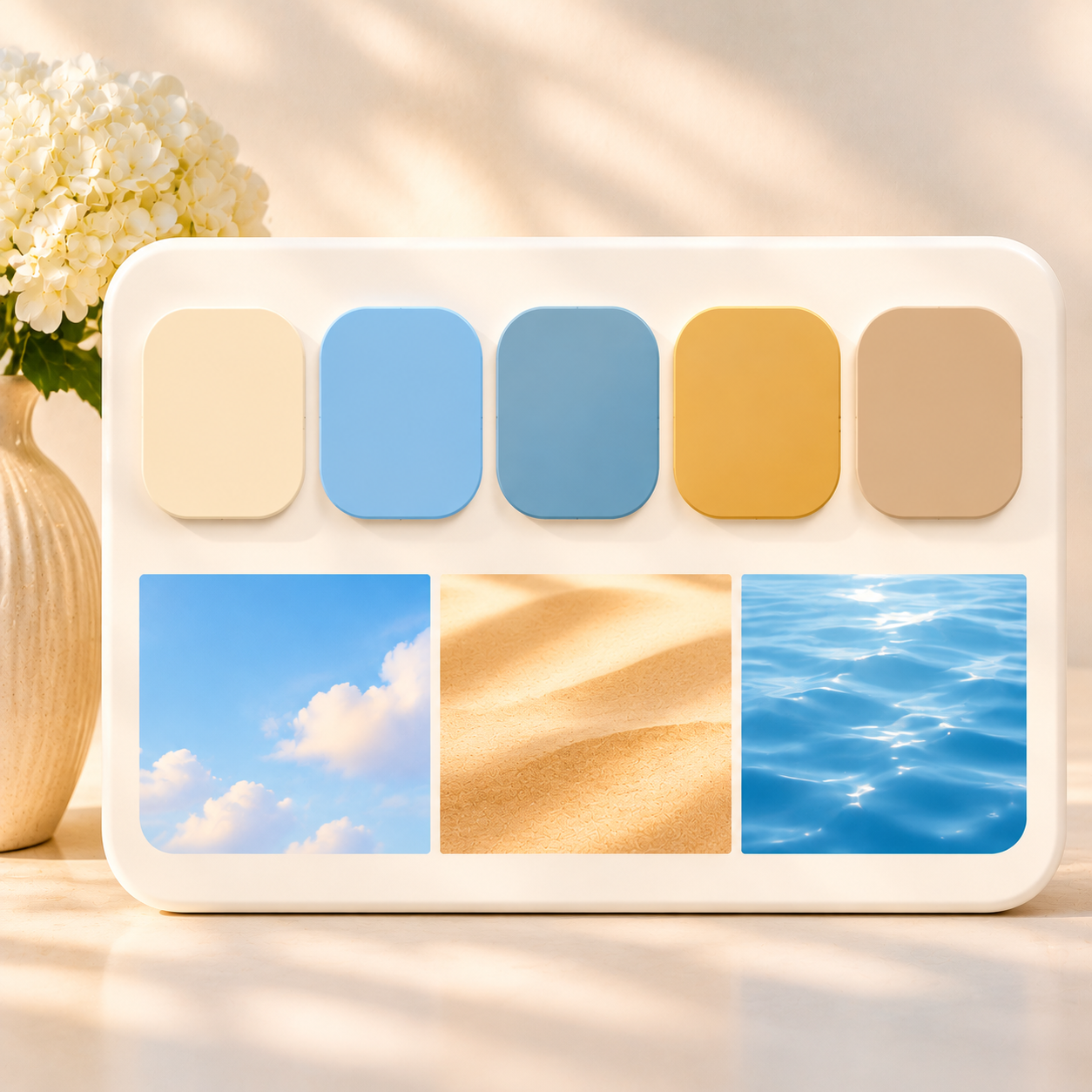
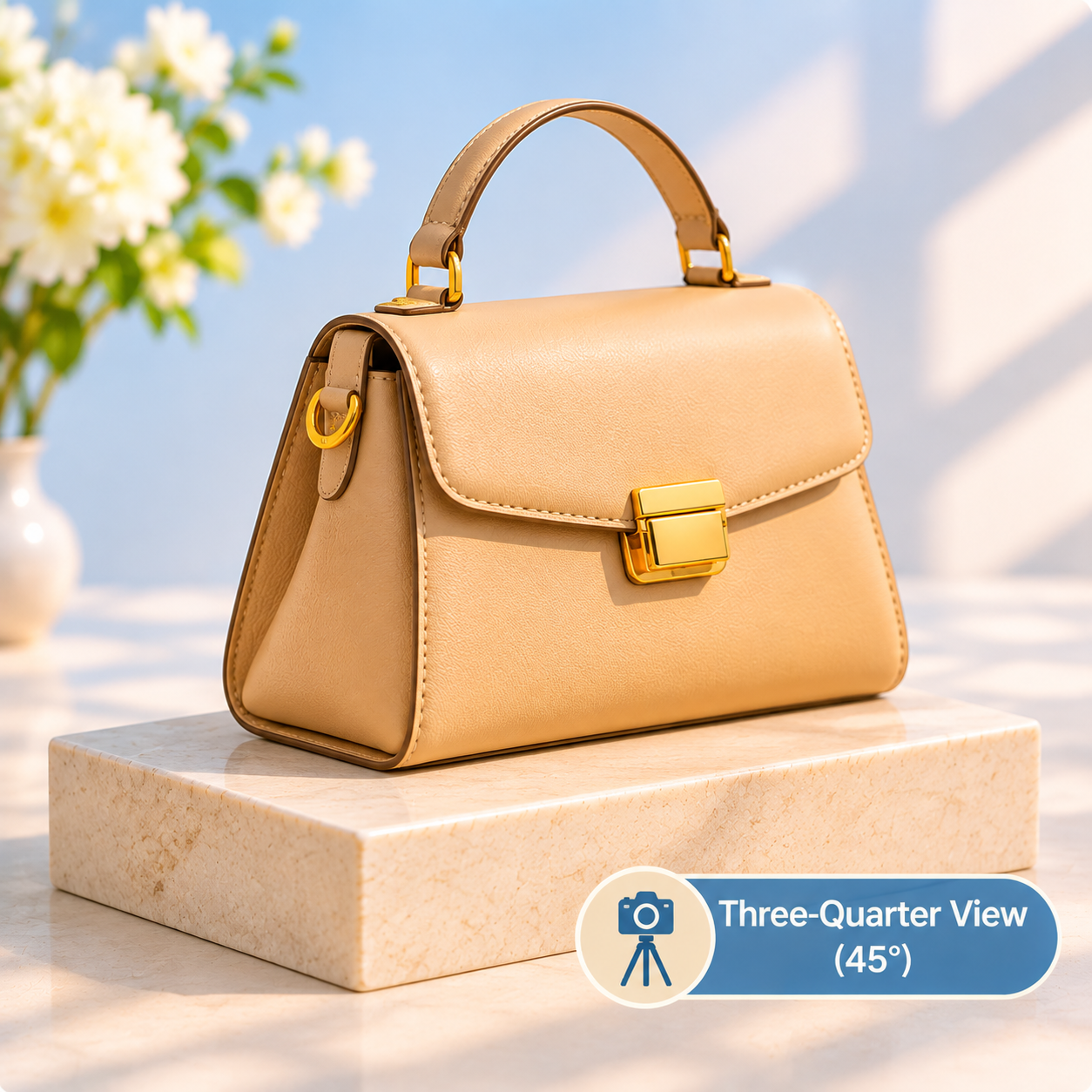
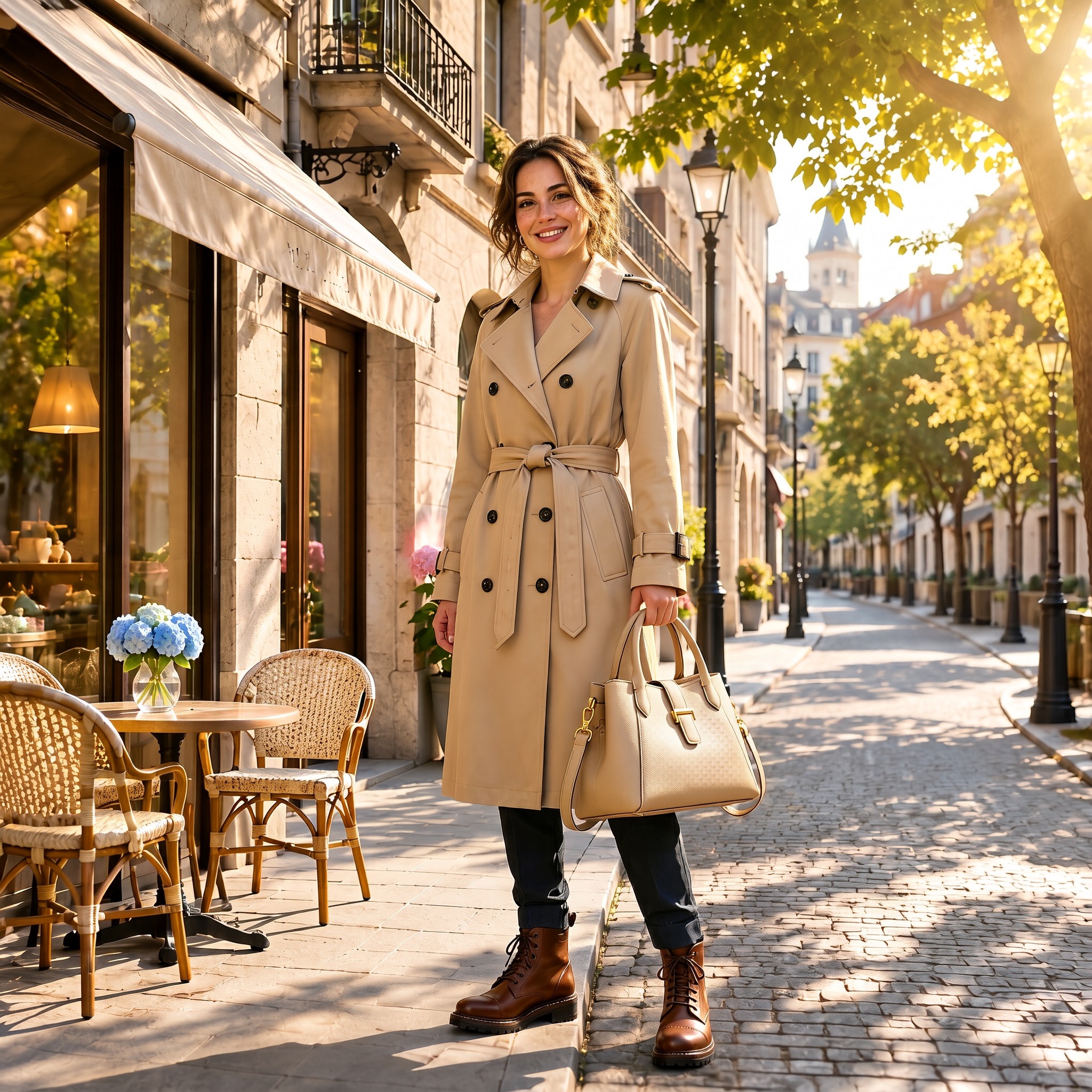
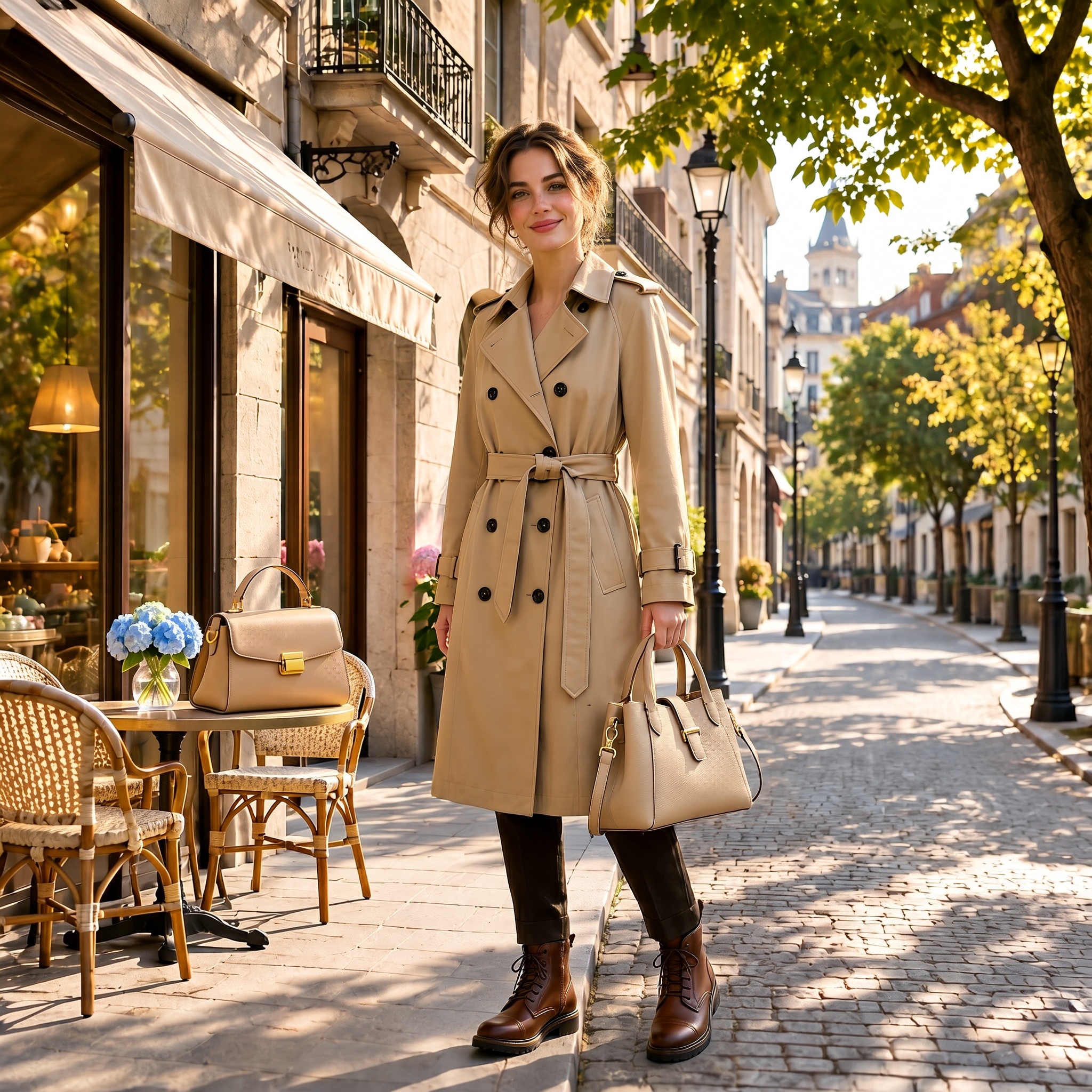
Result: H3 Image wins by keeping the references apart. Both models accepted all eight references and got most of them right. The woman's face, freckles, and loose updo, the double-breasted trench with its belt and cuff straps, the brown cap-toe boots, the buckled tote, and the café street with its awning, hydrangeas, and lamps all carried over closely. Both also used the warm light and the beige, blue, and gold palette. The difference was the camera-angle sample, which shows a different handbag. Seedream 5.5 treated it as another item and placed that second bag on the café table, so its references bled into each other. H3 Image used only the tote, as asked. Neither model matched the three-quarter angle, though: both produced a straight-on, full-length shot.
Test 6: Large-format harbor scene
Prompt: "Aerial photo of a busy fishing harbor at dusk, hundreds of small boats with colorful hulls, rope and nets on the docks, warm lights coming on in waterfront houses, no text."
What it tests: native resolution. H3 Image runs at its 4K setting and Seedream 5.5 at its largest setting. We compare full views and 100% crops of the boats and nets.
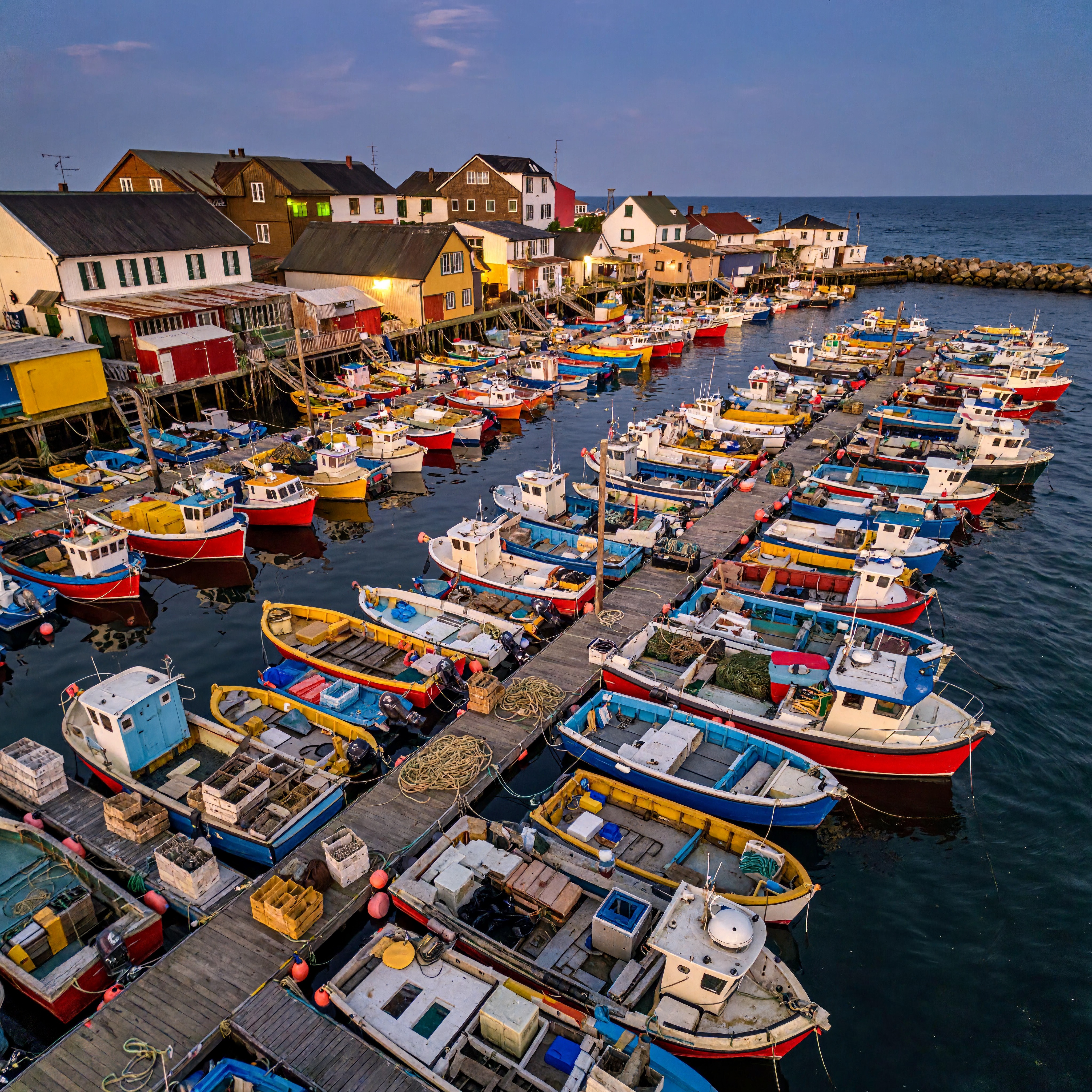
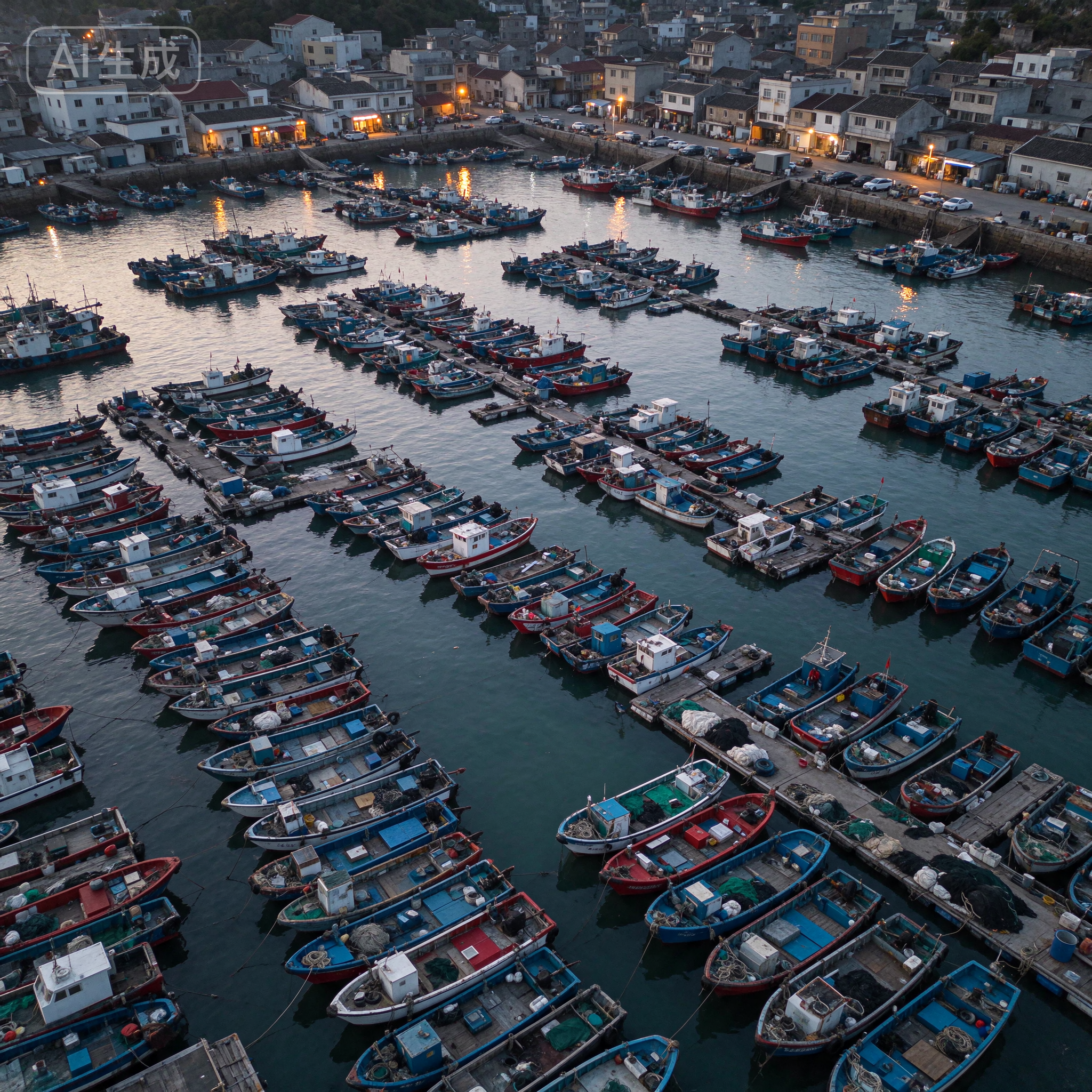
Result: H3 Image wins narrowly on large-format detail. Seedream 5.5 made the more convincing photograph: a real-looking drone shot of a working harbor, with hundreds of red and blue boats, piled nets, and lights coming on along the waterfront. It also packed in more boats, as the brief asked. But it topped out at 2048 × 2048, and the app we used stamped a visible "AI生成" (AI-generated) label in the corner. H3 Image delivered a larger file with more pixels to work with. In 100% crops, its coiled ropes, crates, outboard motors, and deck planks stay crisp, which matters for a poster or a deep crop. Its weak spot is the same one we saw in earlier tests: saturated colors and an HDR look that feel less like a real photo.
Scorecard
| Test | H3 Image | Seedream 5.5 | Winner |
|---|---|---|---|
| 1. Dense small text | 7.5/10 | 9/10 | Seedream 5.5 |
| 2. Transparent asset | 5/10 | 7/10 | Seedream 5.5 |
| 3. Five rounds of editing | 7.5/10 | 8.5/10 | Seedream 5.5 |
| 4. Food and materials | 7.5/10 | 9/10 | Seedream 5.5 |
| 5. Eight references | 8.5/10 | 7.5/10 | H3 Image |
| 6. Large-format detail | 8.5/10 | 8/10 | H3 Image |
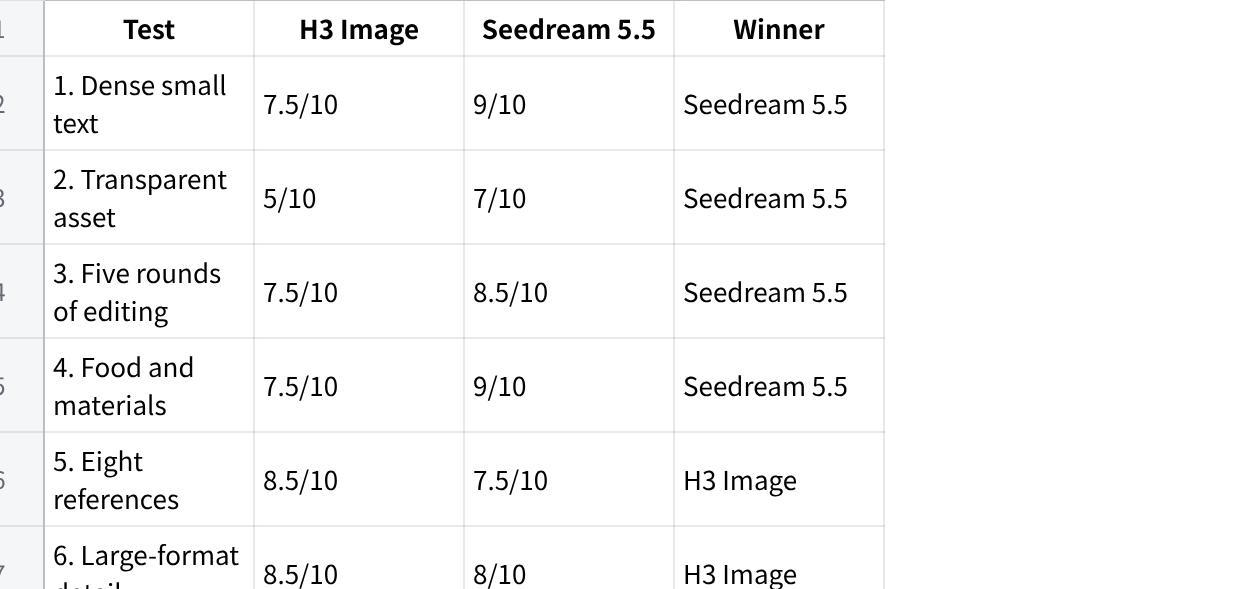
| Average | 7.4/10 | 8.2/10 | Seedream 5.5 (4–2) |
点击图片可查看完整电子表格
Seedream 5.5 won four of six briefs and averaged 8.2 against H3 Image's 7.4. It won every test built around its own claims: small text, clean product output, multi-round editing, and natural realism. H3 Image won the two tests built around its strengths. It kept eight references apart where Seedream 5.5 mixed them up, and it delivered the larger, more croppable file. The pattern matches our MAI-Image-2.6 comparison. H3 Image's most common flaw is an over-processed, HDR-like finish, while its rivals look more like real photos.
Limits of this test: six briefs with one output each is a small sample, and both models are days old. Treat this as a first look, not a benchmark.
Cost per image
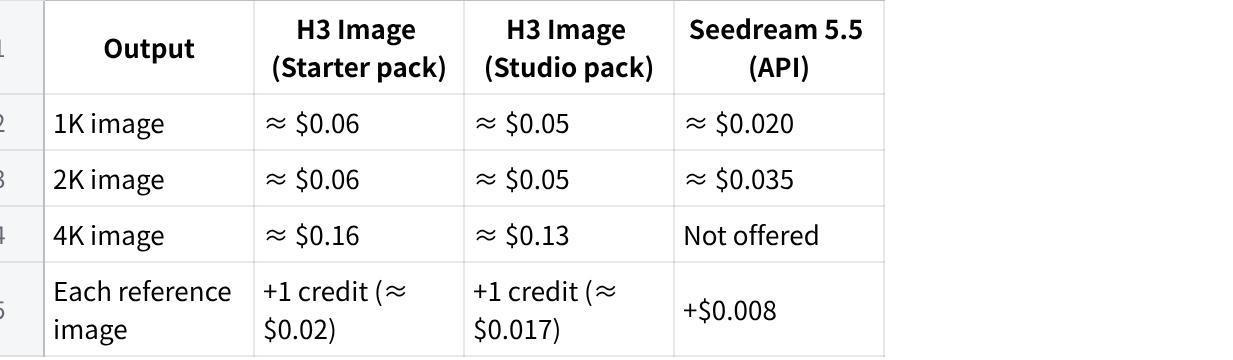
H3 Image on h3imageai.net uses one-time credit packs with no subscription, and credits don't expire. See the pricing page for current terms.
| Output | H3 Image (Starter pack) | H3 Image (Studio pack) | Seedream 5.5 (API) |
|---|---|---|---|
| 1K image | ≈ $0.06 | ≈ $0.05 | ≈ $0.020 |
| 2K image | ≈ $0.06 | ≈ $0.05 | ≈ $0.035 |
| 4K image | ≈ $0.16 | ≈ $0.13 | Not offered |
| Each reference image | +1 credit (≈ $0.02) | +1 credit (≈ $0.017) | +$0.008 |
点击图片可查看完整电子表格
At 1K and 2K, Seedream 5.5 through the API costs less per image. H3 Image costs more per file but is the only one of the two that renders native 4K, and its packs need no cloud account or API setup. In China, ByteDance's own pricing for a 2K square edit was reported at about RMB 0.28.
Which one fits your work?
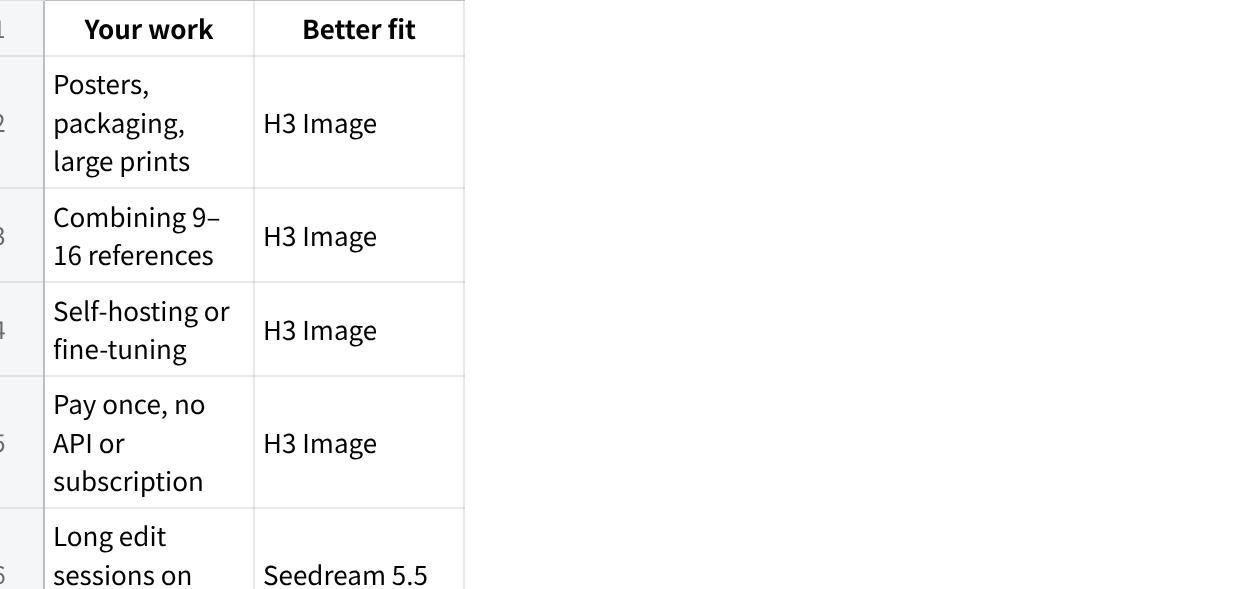
| Your work | Better fit |
|---|---|
| Posters, packaging, large prints | H3 Image |
| Combining 9–16 references | H3 Image |
| Self-hosting or fine-tuning | H3 Image |
| Pay once, no API or subscription | H3 Image |
| Long edit sessions on one image | Seedream 5.5 |
| Transparent PNGs, stickers, cutouts | Seedream 5.5, if your platform supports RGBA output |
| Lowest API cost at 1K–2K | Seedream 5.5 |
| Dense small text | Seedream 5.5 |
点击图片可查看完整电子表格
Final verdict
Seedream 5.5 lived up to most of its launch claims in our tests. It rendered readable small text, held a living room steady through five rounds of edits, and produced the most natural-looking food and harbor photos. If your work is retouching, product shots, or layouts with lots of small copy, start there. It's also cheaper per image at 1K and 2K through the API.
H3 Image earns its place on a different kind of job. It kept eight references cleanly apart, where Seedream 5.5 mixed them up, and its native 4K output gives you more room for print and cropping. It's also the only one of the two with open weights, and on this site it's sold in one-time credit packs with no subscription. Pick by the job: Seedream 5.5 for polish and edits, H3 Image for scale, references, and control.